
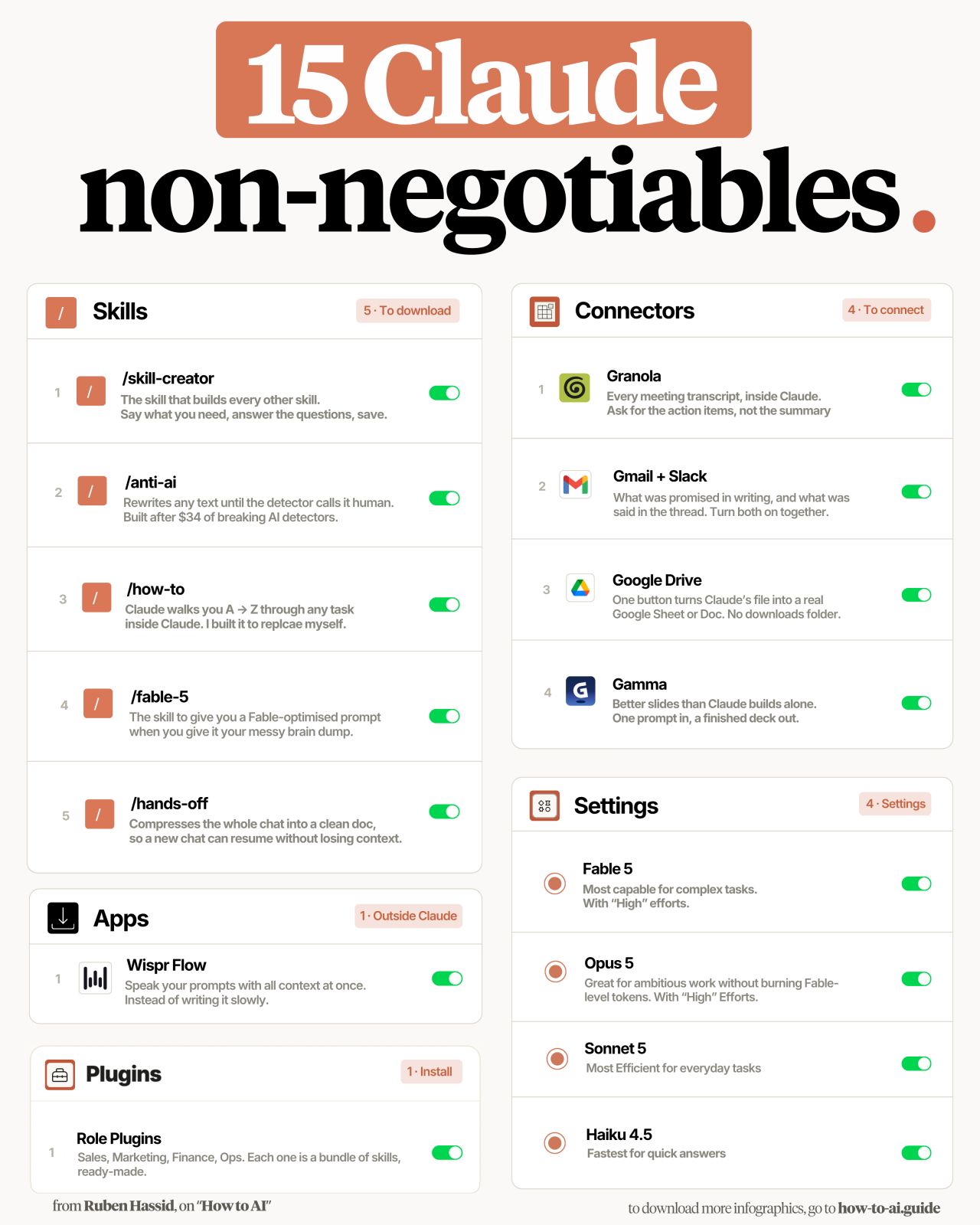
In a recent LinkedIn post, Ruben Hassid shares a detailed guide on optimizing the Claude AI assistant, particularly for users starting with a fresh account. Hassid outlines a series of crucial settings and features he believes are essential for maximizing Claude’s potential, emphasizing a strategic approach to leveraging its different models and functionalities.
Leveraging Claude’s Model Tiers and Effort Dial
Hassid immediately draws attention to the chat box dropdown, recommending specific Claude model tiers for different tasks. He suggests using ‘Fable 5’ for complex, important tasks, ‘Opus 5’ for ambitious work when Fable tokens are not a concern, ‘Sonnet 5’ for daily use, and ‘Haiku 4.5’ for quick responses. Beyond model selection, Hassid highlights a lesser-known yet critical setting: the ‘Effort’ dial, which he advises setting to ‘High’.
“Effort is how hard Claude thinks before answering. Almost nobody knows the dial is there.”
This setting, according to Hassid, directly influences the depth and quality of Claude’s thought process before generating a response, a detail he deems vital for significant tasks.
Harnessing the Power of Claude Skills
A significant portion of Hassid’s post is dedicated to ‘Skills,’ which he describes as a way to transform lengthy prompts into reusable commands. He explains the process of installing the ‘/skill-creator’ by Anthropic and then interacting with it to build custom skills, such as one designed to convert messy notes into client emails in a specific voice.
For those looking to leverage pre-built skills, Hassid directs readers to ‘how-to-ai.guide,’ where they can find a library of skills to upload directly into their Claude settings. He specifically calls out four skills he considers essential for immediate implementation:
- /anti-ai: Designed to rewrite content until AI detectors identify it as human-written.
- /how-to: A comprehensive guide that walks users through any task within Claude.
- /fable-5: Optimizes prompts from raw brain dumps for the Fable 5 model.
- /hands-off: Compresses entire chat histories into concise documents, allowing new chats to resume without losing context.
“Building your own takes weeks. So I handed mine over at how-to-ai.guide.”
Hassid notes that building these skills from scratch can be time-consuming, advocating for the use of his provided library for efficiency.
Optimizing Connectors for Seamless Workflow Integration
Hassid also emphasizes the strategic use of ‘Connectors’ within Claude’s settings, recommending a curated selection of four rather than an exhaustive list. He details how specific connectors can streamline workflows:
- Granola: Enables users to analyze meeting transcripts directly within Claude, focusing on commitments and open action items.
- Gmail + Slack: Integrates both services to compare written promises with actual conversation content.
- Google Drive: Allows Claude’s output to be directly converted into Google Sheets or Docs.
- Gamma: Facilitates the creation of presentation slides from prompts.
As Ruben Hassid points out, “Whatever you can open at work, Claude can open. Whatever you can’t, it can’t,” underscoring the importance of connecting Claude to the tools used in a professional environment.
Introducing Wispr Flow .ai for Voice Prompting
Beyond Claude’s native settings, Hassid introduces Wispr Flow .ai as a complementary tool. He advocates for using voice input over typing for prompts, arguing that users speak significantly faster than they type.
“You speak 4x faster than you type.”
This tool, available for free, aims to make prompt input more natural and efficient, especially for longer contextual inputs.
Strategic Use of Role Plugins
Finally, Hassid briefly touches upon ‘Role Plugins’ (Sales, Marketing, Finance, Ops), suggesting they are more beneficial for users already familiar with their objectives within Claude. He advises skipping them if one is new to the platform to avoid confusion.
Hassid concludes by reiterating the core recommendation: setting Claude to ‘Fable 5’ with ‘Effort’ on ‘High,’ and encourages users to share this optimized setup with others still using default configurations.
📝 About This Content
This article is based on insights shared by Ruben Hassid on LinkedIn.
📅 Originally posted on August 6, 2026 | View original post on LinkedIn →