
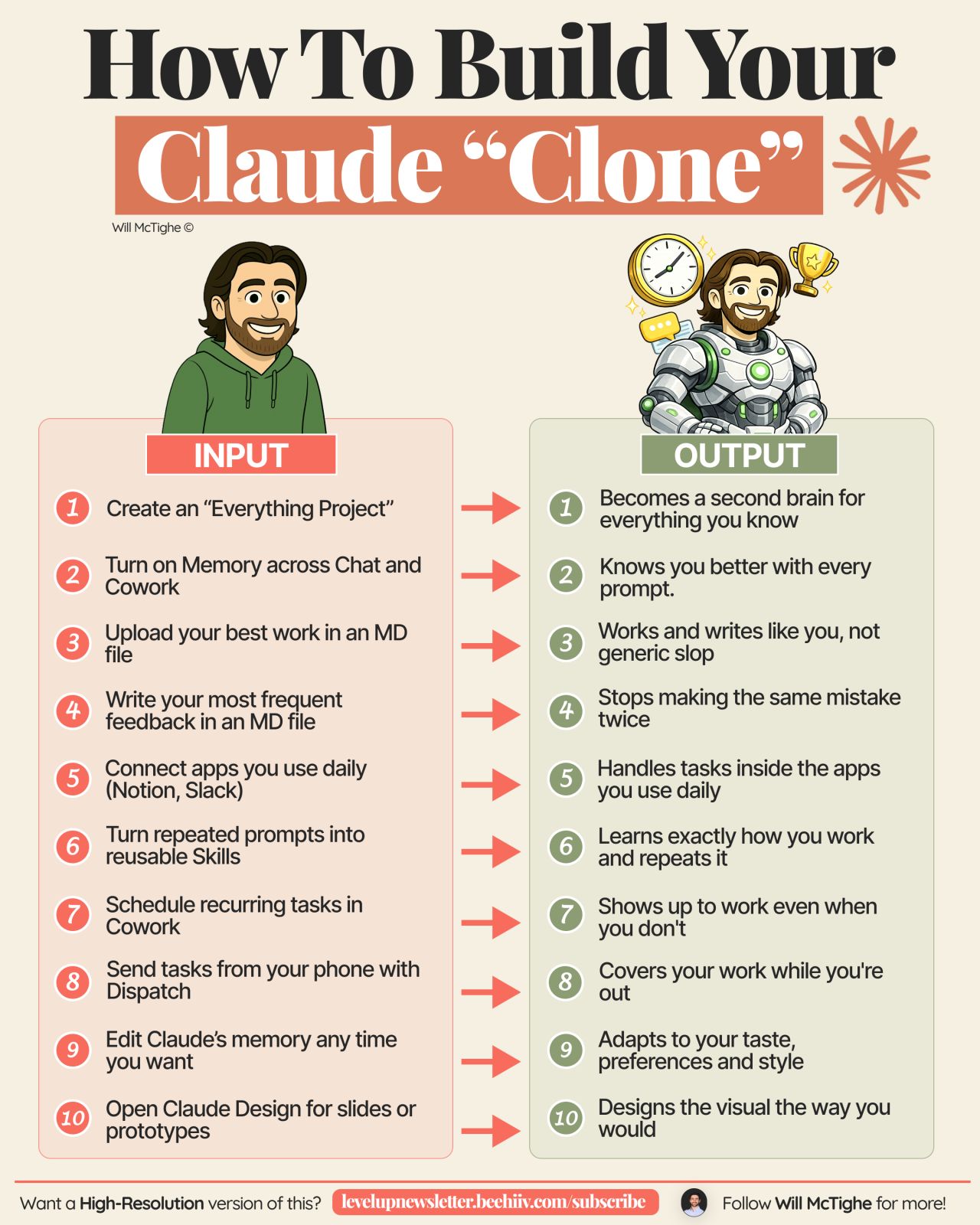
In a recent LinkedIn post, Will McTighe outlines a comprehensive strategy for leveraging AI assistant Claude to essentially “clone” one’s workflow and enhance productivity. McTighe details a ten-step setup process designed to transform Claude into a highly personalized and efficient digital assistant.
The core of McTighe’s approach involves establishing a persistent context and operational framework within Claude. He emphasizes the importance of a centralized “Everything Project” that acts as a central repository for all relevant information, including voice, goals, clients, and ongoing work. This project serves as a “second brain” for Claude, ensuring consistency across all interactions.
“Make one project inside Claude that holds everything: voice, goals, clients, ongoing work. It becomes the second brain Claude pulls from in every single chat.”
Streamlining AI Interaction and Memory
A key element of McTighe’s strategy is the activation of Claude’s memory feature. By enabling memory across chats, users can ensure that previously established contexts, such as client details, preferred formats, and personal pet peeves, are retained and applied consistently. This eliminates the need for repetitive explanations in each new conversation.
McTighe also advocates for the use of Markdown (.md) files to feed Claude high-quality examples and essential guidelines. One file should contain examples of the user’s best work, such as posts, newsletters, or presentations, to visually demonstrate desired quality and style. Another file should house frequently used feedback and corrections, including banned words, formatting rules, and common mistakes to avoid. As Will McTighe notes, this helps Claude “stop[s] making the same mistake twice.”
“Drop the strongest posts, newsletters or decks into one MD file. Real examples show Claude what “good” actually looks like.”
Integrating AI with Daily Tools and Tasks
Connecting to Existing Applications
To further integrate Claude into a daily workflow, McTighe suggests connecting it to frequently used applications like Notion and Slack. This integration, as McTighe explains, allows Claude to perform tasks directly within these platforms, significantly reducing the time and effort spent on manual copy-pasting between different tools.
Automating Repetitive Prompts and Tasks
McTighe identifies the creation of reusable “Skills” as a crucial step for handling recurring prompts. Any prompt that is used more than once a week, he argues, should be converted into a Skill. This allows Claude to learn and execute the task precisely as intended, every time.
“Any prompt that gets written more than once a week should become a Skill. Claude learns exactly how the task is done and repeats it every time.”
Furthermore, McTighe proposes using Claude’s “Cowork” feature for scheduling recurring tasks that follow a consistent process. This ensures that routine work is handled on a regular schedule without requiring constant manual initiation. For tasks that need to be kicked off remotely, McTighe highlights the utility of the “Dispatch” feature, which enables users to initiate Cowork tasks directly from their mobile phones, allowing work to continue seamlessly from any location.
Continuous Refinement and Visual Design
The process doesn’t end with the initial setup. McTighe points out the ability to continuously edit Claude’s memory, allowing for real-time adjustments and corrections as preferences evolve. He likens this to how a human assistant would adapt after a conversation, ensuring Claude remains aligned with the user’s current needs.
For visual content creation, McTighe directs users to “Claude Design,” a feature specifically for generating slides and prototypes. This tool is designed to create visuals in the user’s preferred style, facilitating a collaborative refinement process.
In summary, Will McTighe’s post provides a detailed, actionable guide for users looking to maximize their efficiency by deeply integrating Claude into their daily operations. The entire setup, he notes, can be completed in an afternoon and offers significant returns in weekly productivity.
📝 About This Content
This article is based on insights shared by Will McTighe on LinkedIn.
📅 Originally posted on September 13, 2026 | View original post on LinkedIn →