
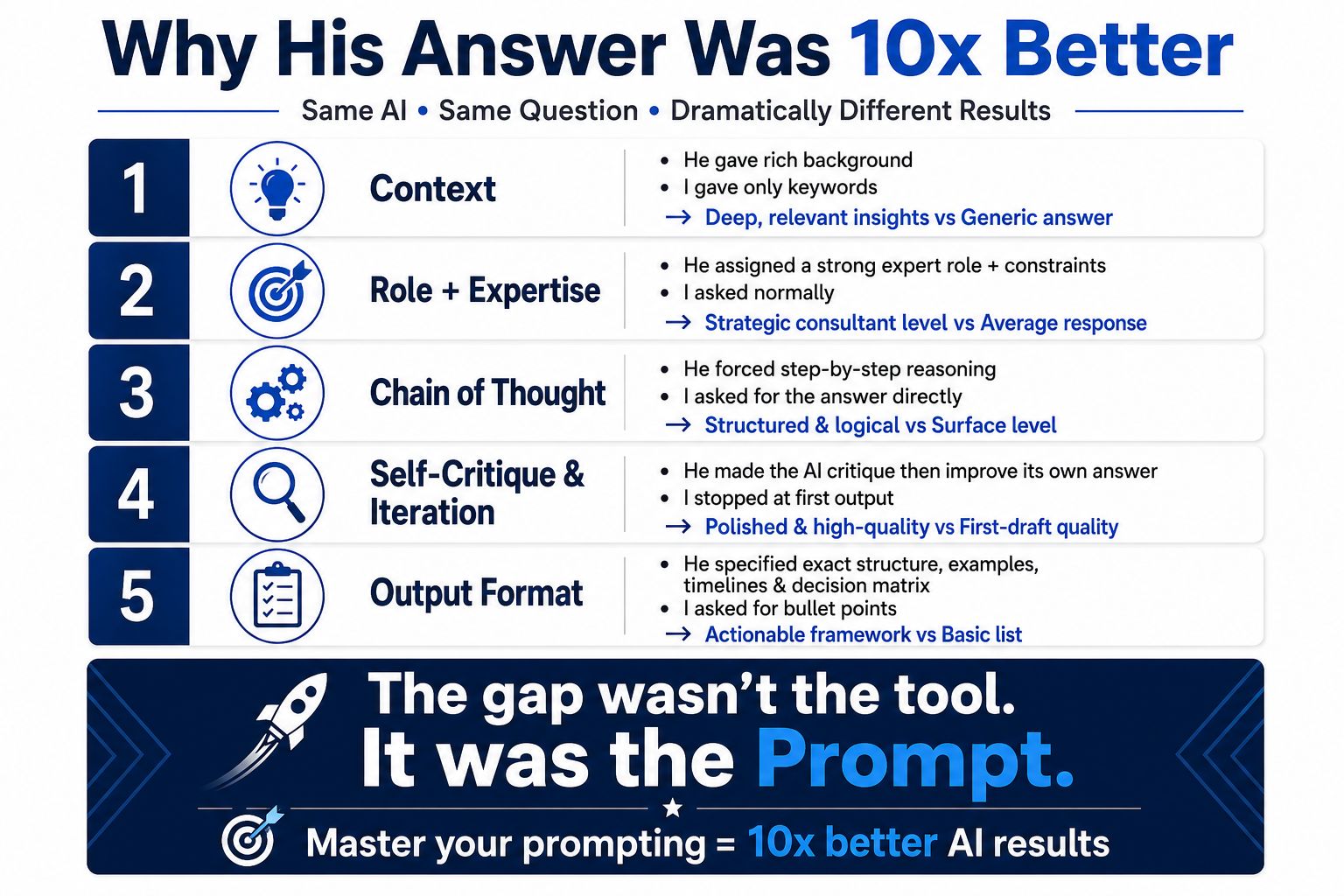
In a recent LinkedIn post, Jean Ng 🟢 explores the critical distinction between merely using AI tools and effectively leveraging them, emphasizing that the quality of the output hinges on the sophistication of the user’s prompts.
The post, framed as a dialogue with a user named DouDou, highlights how identical AI models can produce vastly different results based on the instructions provided. Jean Ng 🟢 uses a culinary analogy to illustrate this point:
“See, think of it like asking two different chefs to make ‘something good to eat.’ One person just says ‘make me food’ — and gets something basic. The other says ‘make me a rich, creamy mushroom pasta, use fresh herbs, don’t make it too salty, and explain each step simply’ — and gets something amazing.”
According to Jean Ng 🟢, this difference in outcome stems directly from the prompt’s specificity. “You both used the same AI, but I bet his prompt was more specific: he told it exactly what tone to use, who it’s for, what details to include, even what to leave out,” Jean Ng 🟢 explains, underscoring that context, examples, and clear rules are paramount.
Beyond Basic Prompts: Advanced AI Interaction
Jean Ng 🟢 goes on to offer three advanced tips for users of Claude 2026, demonstrating how to elevate AI performance significantly. These tips focus on refining the interaction with the AI to achieve more nuanced and accurate responses.
1. Mastering Adaptive Thinking and Extended Reasoning
The first tip addresses the AI’s processing depth. Jean Ng 🟢 notes that users can control how rigorously the AI thinks before answering. By adjusting parameters like ‘thinking: high’ or ‘thinking: max,’ users can engage the AI in complex problem-solving, self-correction, and error checking, akin to a human expert.
“For hard problems: set thinking: high / xhigh / max — it will work through logic, check errors, and self-correct, just like a human expert,” Jean Ng 🟢 advises. Conversely, simpler tasks can utilize lower settings to save time and cost. A pro move suggested is adding instructions like, “Show me your reasoning step-by-step, then give final answer,” which forces the AI to articulate its thought process, making errors easier to spot.
2. Leveraging Projects and Context Caching
Jean Ng 🟢 highlights a common inefficiency: re-uploading documents and re-explaining context for each new interaction. The solution proposed is the use of ‘Projects,’ where users can permanently upload all relevant documents, brand guidelines, and data. “Claude caches this knowledge permanently; every new chat starts fully informed — no need to re-explain,” Jean Ng 🟢 states.
This approach, whether managed through API settings like `cache_control` or by maintaining related work within a single project, is crucial for consistency and reducing AI ‘hallucinations.’ As Jean Ng 🟢 puts it, this ensures answers are “grounded, consistent, and far more reliable.”
3. Implementing Explicit Verification and Self-Review Loops
The final tip focuses on building self-correction mechanisms into the AI’s workflow. Jean Ng 🟢 suggests adding specific prompts that instruct the AI to review and correct its own output.
“Before finalising: review this answer — check for errors, missing facts, contradictions, or weak logic. Fix them, then give me the final version.”
Alternatively, prompts like “List 3 ways this could be wrong or incomplete, then correct it” can be employed. Jean Ng 🟢 explains that this transforms a single pass output into a more robust draft-review-polish cycle, mirroring professional workflows. This technique, according to Jean Ng 🟢, “beats 90% of other users.”
Ultimately, Jean Ng 🟢’s post serves as a compelling guide, shifting the focus from the AI tool itself to the skill of prompt engineering as the key differentiator in achieving high-quality results.
📝 About This Content
This article is based on insights shared by Jean Ng 🟢 on LinkedIn.
📅 Originally posted on June 25, 2026 | View original post on LinkedIn →