
In a recent LinkedIn post, Teresa Torres delves into the advanced capabilities of Claude Code, moving beyond its basic chat interface to explore its potential as a powerful workflow automation tool. Torres emphasizes that by focusing on a single tool, one can master its specific features and integrate them effectively into daily work.
Mastering Claude Code’s Building Blocks
Torres highlights the importance of understanding the foundational elements of Claude Code to leverage its full power. She states that a focused approach allows for a deep comprehension of the tool’s functionalities.
“By focusing on one tool, I’ve been able to learn how to use Claude Code’s building blocks. I confidently know how and when to use slash commands, agents, skills, plug-ins, and even hooks.”
This quote underscores Torres’s belief in the efficacy of dedicated learning for mastering complex software. She argues that this focused effort leads to a clear understanding of when and how to deploy specific features.
Key Features for Workflow Automation
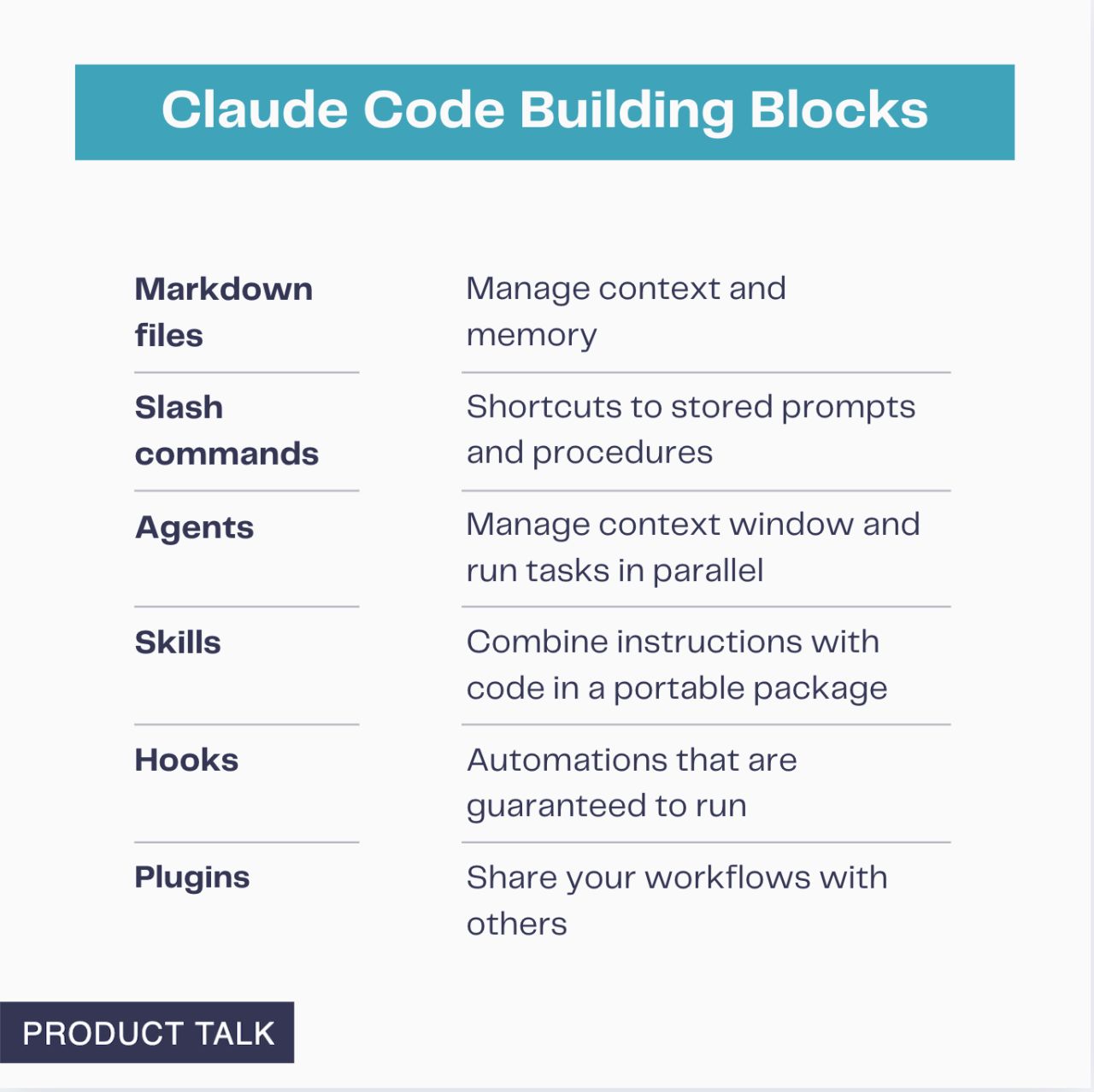
The post breaks down six key features that transform Claude Code into a robust automation engine. According to Torres, these features are crucial for anyone looking to streamline their processes.
Persistent Memory and Shortcuts
Torres explains the utility of markdown files for giving Claude persistent memory across sessions, ensuring continuity in tasks. Additionally, she points out the efficiency gained from creating slash commands, which act as shortcuts for frequently used prompts and procedures.
Advanced Automation with Agents, Skills, and Hooks
Further elaborating on the automation potential, Torres discusses the role of agents in managing context windows and running tasks in parallel. She also details how skills can be built by combining custom instructions with code, creating portable packages for reuse.
“Build skills that combine custom instructions with code in portable packages.”
Torres further notes the reliability offered by hooks, which are designed for automations that are guaranteed to run every time. This reliability, she suggests, is critical for mission-critical workflows.
Sharing and Real-World Applications
A significant aspect of Claude Code’s capability, as highlighted by Torres, is the ability to package these components into shareable plug-ins. This feature fosters collaboration and allows teams to benefit from standardized workflows.
“Package everything into shareable plug-ins for your team.”
To illustrate these concepts, Torres mentions that her article includes detailed breakdowns of three real-world plug-ins: a task management system, a project documentation tool, and an AI research assistant. Each example is designed to demonstrate practical application, showing precisely which building blocks to use and why.
Community Engagement and Further Resources
Concluding her post, Torres invites engagement by asking readers which Claude Code building block they find most useful for their current workflows. This call to action encourages a discussion around practical applications and shared learning.
“Which Claude Code building block sounds most useful for your current workflows? Share your thoughts in the comments below.”
Torres’s insights provide a clear roadmap for users seeking to move beyond basic chat interactions and harness Claude Code for sophisticated workflow automation. Her emphasis on mastering the core building blocks, coupled with practical examples, positions her as a valuable resource for understanding AI-driven productivity tools.
📝 About This Content
This article is based on insights shared by Teresa Torres on LinkedIn.
📅 Originally posted on January 7, 2026 | View original post on LinkedIn →