
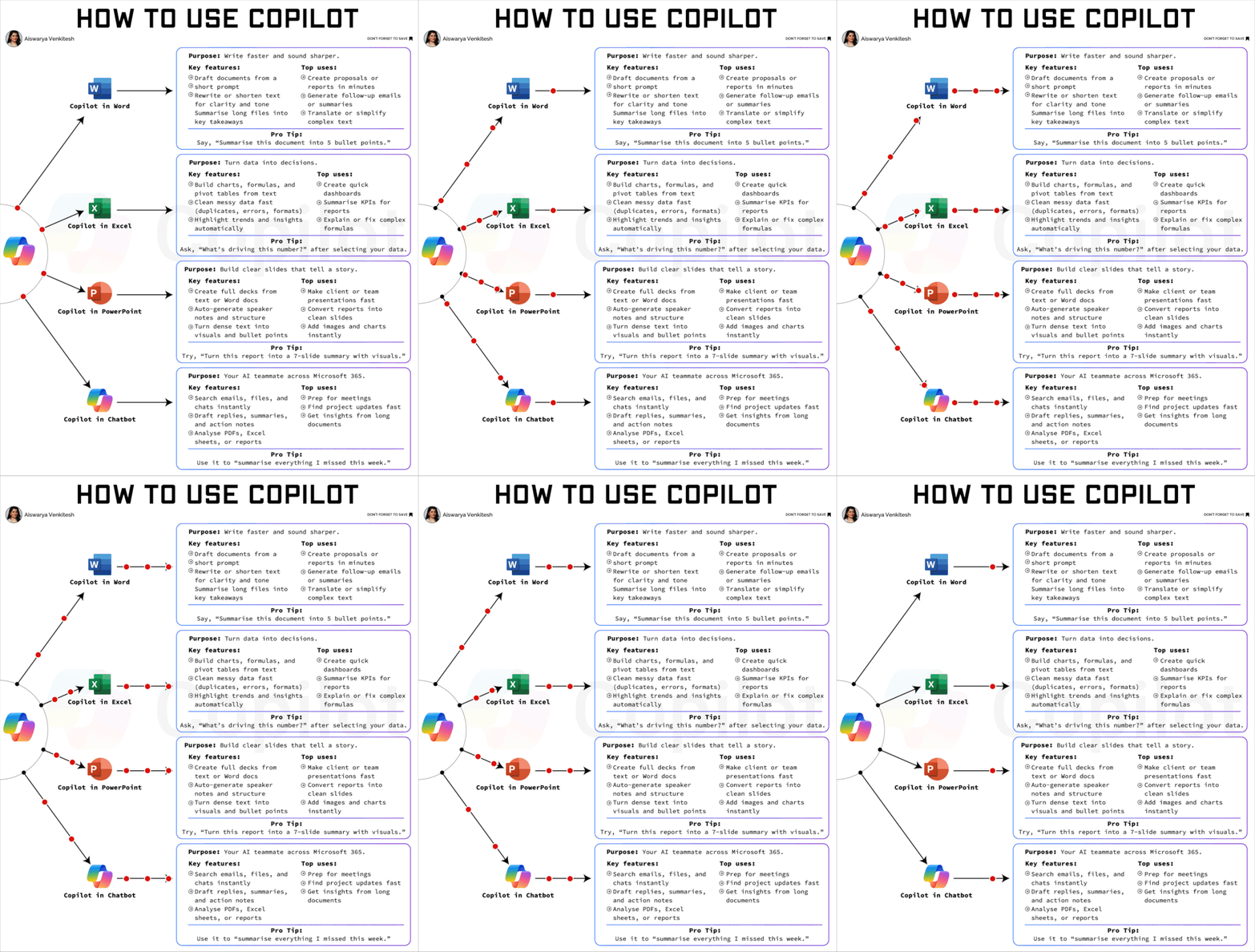
In a recent LinkedIn post, Luís Rodrigues offers a practical guide to leveraging Microsoft Copilot, urging users to move beyond its most rudimentary functions. Rodrigues uses a compelling analogy to highlight the underutilization of the tool, stating:
“Most people use it to check their spelling. That’s buying a sports car to check the mailbox.”
Rodrigues contends that this approach misses the core value proposition of Copilot, which is designed for more complex content generation and data analysis tasks across various Microsoft applications.
Unlocking Copilot’s Potential in Word
For users facing the daunting task of a blank page in Microsoft Word, Rodrigues suggests a more strategic approach. Instead of expecting Copilot to produce a perfect draft from scratch, he advises feeding it existing notes and then prompting it to “draft a proposal from this.” While the initial output may require significant editing, Rodrigues argues that the editing process is far more efficient than starting from zero.
As Luís Rodrigues notes, the key is to use Copilot as a starting point:
“What comes back won’t be good. But now you’re editing, and editing is much easier than starting.”
Strategic Data Handling in Excel
In the realm of Microsoft Excel, Rodrigues emphasizes the importance of data preparation before analysis. He points out that users often skip the crucial cleaning step, leading to less effective insights.
Data Cleaning as a Prerequisite
Rodrigues recommends using Copilot for initial data tidying tasks, such as removing duplicates or fixing date formats. Once the data is clean, users can then ask more sophisticated questions like “what’s driving this number?” According to Luís Rodrigues, attempting to analyze messy data leads to vague and unhelpful answers.
Streamlining Presentations with PowerPoint
Luís Rodrigues also highlights Copilot’s utility in Microsoft PowerPoint. He suggests a workflow where users can prompt Copilot to transform existing reports into slide decks. A practical command would be:
“Turn this report into a 7-slide deck.”
Following this, users can ask Copilot to generate speaker notes for each slide. Rodrigues acknowledges that a significant portion of the generated content might need discarding, but emphasizes that the retained material still offers substantial time savings.
The Underutilized Power of Copilot Chat
Perhaps the most overlooked feature, according to Rodrigues, is Copilot Chat. He describes it as the most powerful of the four applications, capable of providing context-aware information by accessing the user’s emails and files.
Leveraging Context for Client Interactions
Rodrigues suggests using Copilot Chat for tasks such as getting up to speed on missed information or quickly understanding the history with a specific client before a call. He contrasts this with standalone tools like ChatGPT, which lack access to the user’s personal data context. “ChatGPT in another tab doesn’t know what’s in your email, but Copilot does,” he explains.
The Art of Specificity
A recurring theme in Rodrigues’s analysis is the necessity of precise prompting. He warns against vague commands like “Make this better,” which yield little result. Instead, he advocates for specific instructions, such as:
“Cut this to 200 words, keep the numbers, drop the adjectives” gets you something.
Luís Rodrigues concludes that mastering this specificity is the key skill for effectively utilizing Copilot, transforming it from a simple spellchecker into a powerful productivity tool that already has the necessary context, saving users valuable time.
📝 About This Content
This article is based on insights shared by Luís Rodrigues on LinkedIn.
📅 Originally posted on September 11, 2026 | View original post on LinkedIn →